
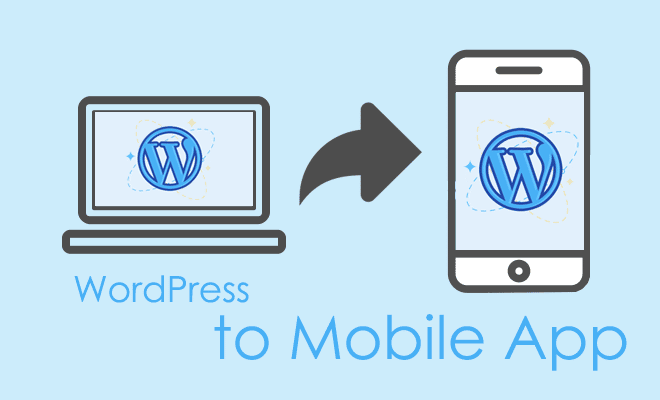
The shift from desktop to mobile has long passed its tipping point. In late 2025, mobile devices account for over 60% of global web traffic, and that number climbs higher in sectors like e-commerce and media. For WordPress site owners, having a responsive website is no longer the final frontier. The new standard for engagement, retention, and brand authority is a dedicated mobile application.
- The Strategic Case for a Mobile App
- Understanding the Technology: Native vs. Hybrid vs. PWA
- Top Plugins and Tools for Converting WordPress to Mobile Apps (2025 Edition)
- Step-by-Step Guide to Development and Deployment
- Phase 1: Preparation and Optimization
- Phase 2: Configuration and Customization
- Phase 3: Testing
- Phase 4: App Store Submission
- App Store Optimization (ASO): The Key to Traffic
- Future Trends in Mobile WordPress Development
- Maintenance and Long-Term Success
- Conclusion
While building a native app from scratch used to require a five-figure budget and months of development, the WordPress ecosystem now offers powerful solutions that bridge this gap. This comprehensive guide explores how to convert your WordPress site into a fully functional mobile app using the best plugins and tools available today. We will dissect the technology, the tools, and the strategies to ensure your app succeeds on both the Apple App Store and Google Play Store.
The Strategic Case for a Mobile App
Before diving into the tools, it is critical to understand the value proposition. Why invest time and resources into an app when you already have a responsive mobile site?
Push Notifications and Retention
The single most powerful feature of a mobile app is the ability to send push notifications. Unlike email, which often gets buried, push notifications have open rates that can exceed 90% when used correctly. This direct line of communication allows you to alert users to new content, flash sales, or community updates instantly.
Offline Accessibility
Modern app converters often include caching mechanisms that allow users to access previously loaded content without an internet connection. This is a game-changer for commuters or users in areas with unstable data connections.
App Store Visibility
Presence on the App Store and Google Play Store functions as a new acquisition channel. These platforms are search engines in their own right. By optimizing your app listing (App Store Optimization or ASO), you tap into a massive audience that prefers discovering tools and content through app stores rather than web search.
Understanding the Technology: Native vs. Hybrid vs. PWA
To make an informed decision, you must understand the underlying architecture of these solutions.
Native Apps
These are built specifically for an operating system (iOS or Android) using languages like Swift or Kotlin. They offer the highest performance and best access to device hardware (camera, GPS, contacts). However, they are the most expensive to build and maintain.
Hybrid Apps (Webview Wrappers)
Most WordPress-to-app plugins utilize this technology. They create a native “shell” that loads your website inside a webview component. The best tools in this category, such as MobiLoud, add native navigation bars and push notification integration on top of this webview, creating an experience that feels 98% native to the user.
Progressive Web Apps (PWA)
A PWA is a website that behaves like an app. Users can “install” it to their home screen directly from the browser. It is fast, cheap, and reliable, but it lacks the prestige and discoverability of being listed in the actual App Stores.
Top Plugins and Tools for Converting WordPress to Mobile Apps (2025 Edition)
We have analyzed the current market leaders based on performance, ease of use, feature set, and long-term viability.
1. MobiLoud
The Enterprise Standard for Publishers and E-commerce
MobiLoud distinguishes itself as a service rather than just a plugin. It is designed for high-traffic news sites, established blogs, and serious WooCommerce stores that cannot afford a “cheap” looking app.
Key Features
MobiLoud preserves your entire WordPress tech stack. If you use complex plugins for comments, forums, or custom checkouts, they will work instantly in the app because the app essentially mirrors your live site. There is no need to rebuild features or API endpoints.
Performance and Design
They provide a native tab menu, native loading spinners, and splash screens. This hybrid approach ensures that while the content is web-based, the navigation feels strictly native.
Pros
- Zero Coding Required: Their team handles the submission to Apple and Google.
- Plugin Compatibility: Works with 100% of WordPress plugins (WooCommerce, LearnDash, PeepSo).
- Maintenance: They handle updates when iOS or Android policies change.
Cons
- Cost: It is one of the more expensive options, often starting with a setup fee and a monthly recurring cost that targets businesses rather than hobbyists.
2. AppMySite
The Best DIY Solution for Flexibility
AppMySite has gained massive traction in 2024 and 2025 due to its balance of power and affordability. It allows you to build an app in a drag-and-drop environment that connects to your WordPress site via a plugin.
Key Features
It offers deep integration with WooCommerce, allowing for native product grids and checkout flows. You can customize the app layout independently of your website theme, giving you the freedom to create a mobile-first design that differs from your desktop look.
Real-Time Sync
When you publish a new post or product on WordPress, it automatically reflects in the AppMySite app. The synchronization is robust and handles images, categories, and metadata efficiently.
Pros
- Interface: An intuitive dashboard that lets you preview changes in real-time.
- Language Support: Excellent for multilingual sites.
- Pricing Tier: Offers flexible plans including potential lifetime deals or lower monthly starts compared to enterprise solutions.
Cons
- Submission Process: While they guide you, you often have to handle the actual upload of the APK/IPA files to the app stores yourself unless you pay for an add-on service.
3. AppPresser
The Integrator’s Choice for Membership Sites
AppPresser was the first major player in this space and remains a top contender, particularly for sites that rely on specific integrations like BuddyPress, LearnDash, or WooCommerce.
Architecture
Unlike standard wrappers, AppPresser uses a cloud-based app builder that pulls your WordPress content via the REST API. This results in a faster, more “app-like” feel because it is not just loading your website design; it is loading your data into a custom app layout.
Specialization
If you run a membership site or an online course platform, AppPresser is likely your best bet. They have specialized code to handle login redirects, course progression tracking, and social activity feeds that generic wrappers often struggle with.
Pros
- Deep Integration: Best-in-class support for LearnDash and BuddyBoss.
- Customization: You have control over the HTML/CSS of the app components.
- Camera Access: superior support for device features like uploading photos to a social feed.
Cons
- Technical Knowledge: It requires a bit more configuration than MobiLoud. You need to be comfortable setting up APIs and configuring the builder.
4. WPMobile.App
The Budget-Friendly Native Wrapper
For bloggers and small business owners who need a reliable presence on the app stores without a massive monthly overhead, WPMobile.App is a standout performer.
Simplicity
This plugin focuses on doing one thing well: creating a smooth, readable mobile app from your existing content. It does not try to reinvent the wheel with complex builders. It applies a mobile theme to your content inside the app environment.
Cost Structure
Historically, they have offered a lifetime license model for the app build, with nominal fees for updates or specific features. This makes it highly attractive for projects with limited operating budgets.
Pros
- Affordability: One of the most cost-effective ways to get on both stores.
- Ease of Use: Very “plug and play” nature.
- Analytics: Built-in statistics to track app usage and installs.
Cons
- Design Limitations: You have less control over the intricate details of the UI compared to AppMySite or specialized custom development.
5. BuddyBoss App
The Community Powerhouse
If your site is built on the BuddyBoss Platform (a fork of BuddyPress), the BuddyBoss App is the premier choice. This is not a generic converter; it is a native app solution specifically engineered for the BuddyBoss ecosystem.
Native Experience
It provides a truly native experience for social feeds, member directories, and forum discussions. It supports in-app purchases for courses and memberships, adhering to Apple’s strict guidelines for digital goods.
Pros
- User Experience: It looks and feels like Facebook or a high-end social network app.
- Education: Seamless integration with LearnDash for mobile learning.
- Translations: Built-in support to translate the app interface.
Cons
- Ecosystem Lock: It is only useful if you are using the BuddyBoss theme and platform.
- Price: It is a premium investment, typically costing significantly more than generic wrappers.
Step-by-Step Guide to Development and Deployment
Converting your site is a process that demands attention to detail. Here is the workflow you should follow to ensure a professional result.
Phase 1: Preparation and Optimization
Your app will only be as good as your website’s backend. Before installing any plugin, ensure your WordPress installation is optimized.
- Speed is King: Mobile users are impatient. Optimize your images using next-gen formats like WebP. Ensure you are using a high-quality hosting provider (cloud hosting or managed WordPress hosting is recommended) to reduce server response times.
- REST API Check: Many app builders rely on the WordPress REST API. Ensure your security plugins are not blocking API access, as this will break the content feed to your app.
- Backup: Always create a full staging site or backup before connecting these plugins. They often create new database tables and endpoints.
Phase 2: Configuration and Customization
Once you have selected your tool (e.g., AppMySite or MobiLoud), the configuration phase begins.
- Branding Consistency: Upload high-resolution logos. You will need a specific icon size (usually 1024×1024 px) for the App Store. Ensure your color palette matches your website exactly to maintain brand continuity.
- Menu Configuration: Mobile navigation is different from desktop. Simplify your menu. Do not clutter the app sidebar with twenty links. Stick to the core 4 or 5 destinations (Home, Shop, Account, Contact, Blog).
- Push Notification Setup: This usually involves connecting to a service like OneSignal or Firebase. You will need to generate keys in Google Firebase and Apple Developer accounts to authorize these notifications.
Phase 3: Testing
Never submit an app without rigorous testing.
- Simulator vs. Real Device: While browser-based simulators are helpful, you must test the app on an actual iPhone and an actual Android device. Touch sensitivity, scroll physics, and notched screens can behave differently on real hardware.
- User Flow Testing: Walk through the critical paths. Can a user create an account? Can they complete a purchase? Does the password reset email arrive?
- Offline Mode: Put your phone in airplane mode and open the app. Does it show a “No Connection” error gracefully, or does it crash?
Phase 4: App Store Submission
This is often the most intimidating part for beginners.
Google Play Store
- Fee: One-time registration fee (approx. $25).
- Review Time: Typically 1 to 3 days, though new accounts may take longer.
- Requirements: You need screenshots, a feature graphic (1024×500 px), and a privacy policy URL.
Apple App Store
- Fee: Annual membership fee (approx. $99/year).
- Review Time: 24 to 48 hours for the initial review, but rejections are common.
- Strict Guidelines: Apple is strict about “minimum functionality.” Your app must do more than just display a website. It needs native navigation or specific mobile features (push notifications usually satisfy this).
- Digital Goods: Be careful if you sell digital courses. Apple demands a 30% cut of in-app purchases. Many developers hide the “Buy” button on the iOS app and only allow consumption of content purchased on the web to avoid this fee.
App Store Optimization (ASO): The Key to Traffic
Just as you perform SEO for Google, you must perform ASO for the app stores. This is where you drive organic traffic.
Title and Subtitle
Include your main keywords. If your site is about “Vegan Recipes,” your app title should not just be your brand name; it should be “Brand Name: Vegan Recipes & Cooking.”
Keywords Field (iOS only)
Apple allows you to specify hidden keywords. Use single words separated by commas. Do not use phrases. Focus on high-intent terms related to your niche.
Visual Assets
Your screenshots should not just be raw captures. Use a design tool to add captions above the screenshots explaining the benefits. For example, “Read Offline” or “Get Instant Alerts.”
Reviews and Ratings
Prompt your loyal web users to download the app and leave a review. The velocity of ratings in the first 30 days is a major ranking factor.
Future Trends in Mobile WordPress Development
As we look toward 2026, several trends are shaping this landscape.
AI Integration
We are seeing plugins that integrate AI chatbots directly into the mobile app interface, providing 24/7 customer support without human intervention. This improves user engagement metrics, which store algorithms love.
Voice Search Optimization
With the rise of voice assistants, ensuring your app content is structured for voice queries is becoming vital. This involves using schema markup on your WordPress site, which the app then consumes.
Security and Privacy
Users are increasingly sensitive to data privacy. Apps that clearly ask for permission (tracking, notifications) and provide transparent data deletion options are seeing higher retention rates. Ensure your privacy policy is up to date with GDPR and CCPA regulations.
Maintenance and Long-Term Success
Launching the app is just the beginning.
Regular Updates
Both iOS and Android update their operating systems annually. You must update your app code to ensure compatibility. Managed services like MobiLoud handle this for you, whereas DIY solutions require you to rebuild and resubmit the app binary periodically.
Analytics Monitoring
Use tools like Google Analytics for Firebase. Watch your “Uninstall Rate.” If you see a spike in uninstalls, it usually indicates a bug in a recent update or annoying push notification practices.
Content Strategy
Treat your app users as VIPs. Give them content 24 hours before it goes live on the web. Offer app-exclusive discount codes. This justifies the “real estate” your icon takes up on their phone screen.
Conclusion
Converting your WordPress site to a mobile app is one of the highest-ROI activities you can undertake in the current digital landscape. It secures your audience, opens up new communication channels, and diversifies your traffic sources. Whether you choose a high-end solution like MobiLoud for a hands-off experience or a flexible builder like AppMySite for granular control, the technology is now mature enough to deliver a seamless result.
The barrier to entry has never been lower, but the standard for quality has never been higher. By following the steps outlined above and choosing the tool that aligns with your technical capability and budget, you can launch a mobile application that not only complements your website but eventually rivals it as your primary platform for user engagement.