
The digital landscape has undergone a dramatic transformation, placing a singular focus on the real user experience. No longer is sheer speed the sole arbiter of a website’s quality; rather, it is the feeling of instantaneous, smooth, and stable interaction that dictates success in search visibility and audience engagement. As of this daily update in late 2025, the technical foundation of your site specifically the Core Web Vitals is the non-negotiable bedrock of your online strategy.
- The Core Web Vitals Imperative in 2025
- Mastering Largest Contentful Paint (LCP)
- 1. Reducing Time to First Byte (TTFB)
- 2. Eliminating Render-Blocking Resources
- 3. Optimizing the LCP Element Resource Load
- 4. Font Optimization for Faster Text Rendering
- Stabilizing the Experience with Cumulative Layout Shift (CLS)
- 1. Specifying Dimensions for All Media
- 2. Reserving Space for Dynamic Content and Ads
- 3. Managing Web Font Instability
- 4. Animations and Transitions
- Holistic Technical SEO and Performance Audit
This comprehensive guide delves deep into the two most impactful visual metrics Largest Contentful Paint (LCP) and Cumulative Layout Shift (CLS) providing the advanced strategies and development tweaks required to thrive in the modern web ecosystem. Ignore these elements, and you risk not only falling behind competitors but fundamentally compromising the user journey.
The Core Web Vitals Imperative in 2025
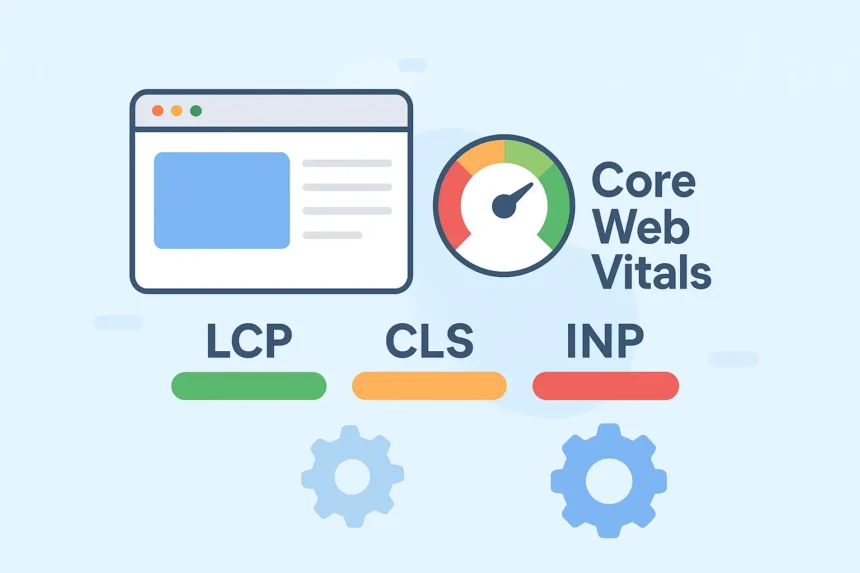
The Core Web Vitals (CWV) are Google’s set of quantifiable, user-centric metrics that assess the real-world experience of loading, interactivity, and visual stability. They are a critical component of the Page Experience ranking signal. While the third metric, Interaction to Next Paint (INP), measures interactivity, our focus today is on the vital signs governing how content appears and settles: LCP and CLS.
Achieving a “Good” rating for your Core Web Vitals is not merely about placating a search algorithm; it is a direct investment in your audience. A faster, more stable website leads to lower bounce rates, higher time-on-page, and a significant boost in conversion rates, which is a key business performance indicator. Studies have consistently shown that a one-second delay in mobile load time can impact conversion rates by a significant margin (Source: Think With Google).
To pass the CWV assessment, which is based on a 28-day sliding window of real user data (Field Data or CrUX), at least 75% of page visits must meet the ‘Good’ threshold for all three metrics:
- Largest Contentful Paint (LCP): Under 2.5 seconds
- Cumulative Layout Shift (CLS): Under 0.1
- Interaction to Next Paint (INP): Under 200 milliseconds (The modern responsiveness metric, having replaced First Input Delay (FID) as of March 2024).
The current trends of 2025 reinforce a stronger emphasis on mobile performance and the use of real user data (RUM) for accurate assessment. Superficial quick-fixes are out; deep, architectural optimization is in.
Mastering Largest Contentful Paint (LCP)
LCP measures the time it takes for the largest visible element in the viewport to render. For most modern websites, this is typically a hero image, a large block of text, or a video thumbnail within the main content area above the fold. It is the primary indicator of perceived loading speed.
A slow LCP is a user experience catastrophe. Visitors quickly abandon a page if the main content is not visible within a few seconds. The root causes of a poor LCP often fall into four key buckets: slow server response times, render-blocking resources, slow resource load times, and client-side rendering delays.
1. Reducing Time to First Byte (TTFB)
TTFB, the time from when a user clicks a link to when the browser receives the first byte of content from the server, is the fundamental baseline for LCP. If your TTFB is one second, your LCP can never be faster than one second.
- Premium Hosting Infrastructure: The quality of your web hosting is paramount. Avoid cheap, oversold shared hosting plans. Invest in high-performance cloud hosting, a Virtual Private Server (VPS), or dedicated hosting. A robust server setup and network stack are essential for rapid initial response.
- Content Delivery Networks (CDN): Implement a global CDN. A CDN caches your static assets (images, CSS, JS) on edge servers geographically closer to your users, drastically reducing latency and the physical distance the data has to travel. This is a crucial speed multiplier for visitors worldwide.
- Server-Side Rendering (SSR) and Static Site Generation (SSG): For modern web applications, moving away from purely Client-Side Rendering (CSR) can provide a massive LCP boost. SSR or SSG (with frameworks like Next.js or Gatsby) pre-renders the HTML on the server or during the build process, sending fully formed content to the browser faster.
- Database and Backend Optimization: For dynamic sites (like those using a CMS or e-commerce platform), optimize database queries and utilize the latest, fastest versions of server-side languages (e.g., the latest stable PHP version). Implement robust server-level and HTML caching mechanisms to avoid reprocessing the same request repeatedly.
2. Eliminating Render-Blocking Resources
Before a browser can display a page, it must parse the HTML and process all CSS and JavaScript files that are loaded in the <head> section. If these files are large, they block the rendering process, directly delaying LCP.
- Critical CSS Inlining: Identify the minimal CSS required to style the ‘above-the-fold’ content (the Critical Path CSS) and inline it directly into the HTML’s
<head>. This ensures the visible part of the page can be styled and rendered instantly, while the rest of the non-critical CSS is loaded asynchronously. - Deferring Non-Critical JavaScript: By default, JavaScript is render-blocking. Use the
deferorasyncattributes on script tags for non-essential scripts.defer: Scripts download during HTML parsing and execute only after the document is fully parsed, maintaining execution order. Ideal for most non-essential scripts.async: Scripts download during HTML parsing and execute immediately upon completion, potentially out of order. Best for independent scripts like analytics tags.
- Code Minification and Compression: Minify your HTML, CSS, and JavaScript files to remove unnecessary characters, whitespace, and comments. Enable Gzip or Brotli compression on your server to reduce the file size of your assets for faster transfer.
3. Optimizing the LCP Element Resource Load
The actual resource that constitutes the LCP (e.g., a hero image) must load as quickly as possible. This is where media optimization becomes critical.
- Proactive Resource Preloading: If you know the LCP element (often a hero image loaded via an
<img>tag or a CSS background image), instruct the browser to prioritize its download immediately using<link rel="preload" as="image" href="path/to/lcp-image.jpg">. For the highest-priority assets, use thefetchpriority="high"attribute to signal its importance to the browser. - Image Format and Compression:
- Compress all images using modern lossy or lossless compression techniques, ensuring the file size is minimal (ideally under 100 KB for individual images).
- Utilize next-generation formats like WebP and AVIF where browser support allows, as they offer superior compression to JPEG or PNG. Use the
<picture>element with<source>tags to ensure fallback for older browsers.
- Sizing and Responsiveness: Serve appropriately sized images based on the user’s device and viewport. Never serve an oversized desktop image to a mobile user. Use the
srcsetattribute to provide multiple image versions, allowing the browser to choose the most efficient file. - Avoid Lazy Loading Above the Fold: Do not use
loading="lazy"on the LCP element or any image visible in the initial viewport. Lazy loading is designed to defer resource loading, which is counterproductive for the most critical element.
4. Font Optimization for Faster Text Rendering
Custom web fonts, while aesthetically pleasing, can be a major source of LCP delay and visual instability (a flash of invisible text, or FOIT).
- Local Font Hosting: Host Google Fonts or other custom fonts locally on your server rather than relying on external calls. This eliminates a third-party request and improves caching.
- Use
font-display: swap: Apply thefont-display: swapCSS property. This tells the browser to use a system fallback font immediately while the custom web font is downloading. Once the custom font is ready, it “swaps” in, ensuring text remains visible (FOUT, or Flash of Unstyled Text) and preventing a complete render block. - Preloading Fonts: If the custom font is essential and a top priority, use the
<link rel="preload" as="font" ...>tag to ensure the browser fetches it immediately.
Stabilizing the Experience with Cumulative Layout Shift (CLS)
CLS is a measure of visual stability. It quantifies the unexpected movement of page content that occurs during the loading phase. A layout shift happens when a visible element changes its starting position from one frame to the next. The worst offenders are late-loading fonts, images without dimensions, and dynamically injected elements like ads or pop-ups.
A high CLS score (anything above 0.1 is considered ‘Poor’) creates a frustrating and untrustworthy user experience—imagine trying to click a button only to have an ad load above it, shifting the button out of reach. This is a critical factor in user retention and perceived professionalism.
1. Specifying Dimensions for All Media
This is the most direct and effective way to combat CLS caused by media. The browser must know exactly how much space to reserve for an element before it loads.
- Explicit
widthandheightAttributes: Always includewidthandheightattributes on all<img>and<video>tags in your HTML. - The CSS
aspect-ratioProperty: For modern CSS, theaspect-ratioproperty is the game-changer for responsive images. By defining an aspect ratio (e.g.,aspect-ratio: 16 / 9;), the browser can calculate the correct height based on the available width, preserving the space even before the image file is downloaded. This is the new best practice for fully responsive designs that need a stable layout. - iFrames and Embeds: Extend this practice to third-party embeds, like YouTube videos, social media widgets, or iframes. Reserve space for them using a container element with fixed or minimum dimensions (
min-heightandmin-width) or, ideally, theaspect-ratioproperty.
2. Reserving Space for Dynamic Content and Ads
Dynamically injected content, particularly advertisements, is the most common cause of high CLS scores.
- Fixed Ad Slots with Placeholders: Never allow ads or dynamic banners to load without a container that has pre-defined or reserved space.
- Set a minimum height and width (
min-height,min-width) for the ad slot container. This ensures that even if an ad doesn’t load, the blank space remains, preventing the rest of the page from shifting up. - Choose a consistent size for your ad slots based on historical data of the most frequently served ad size in that slot.
- Set a minimum height and width (
- Avoid Injecting Content Above Existing Elements: Crucially, never insert new content, notifications, or banners at the top of the page after the initial content has rendered, unless it is a direct response to a user interaction (like a button click). Inserting new content above the fold pushes all existing, visible content down, resulting in a large CLS penalty. Place dynamic, late-loading content lower in the viewport or use a sticky/fixed position that does not affect document flow.
3. Managing Web Font Instability
The Flash of Unstyled Text (FOUT) and Flash of Invisible Text (FOIT) caused by late-loading fonts contribute directly to CLS. When a fallback font (which occupies different space) is suddenly replaced by the custom web font, a layout shift occurs.
- Combined Strategy: The most stable approach is to combine
font-display: swapwith preloading for the highest-priority fonts.- Preload Critical Fonts: Use
<link rel="preload">to fetch the font file early. - Ensure Text Visibility: Use
font-display: swapto immediately display a similar-sized fallback font, preventing invisible text. - Specify Font Metrics: Advanced techniques involve using CSS descriptors like
size-adjust,ascent-override, andline-gap-overrideto fine-tune the fallback font’s metrics to match the custom font as closely as possible, minimizing the shift when the swap occurs.
- Preload Critical Fonts: Use
4. Animations and Transitions
Unexpected animations that push other content around can cause CLS.
- Use CSS
transform: For animations and transitions, exclusively use properties liketransform: translate(),scale(), orrotate(). These properties do not trigger a new document layout (reflow) and run on the compositor thread, ensuring they are smooth and do not contribute to layout shifts. - Avoid Layout-Triggering Properties: Never animate properties like
height,width,top,left, orbox-shadowon elements unless they are intentionally designed to move the entire layout based on user action.
Holistic Technical SEO and Performance Audit
While LCP and CLS are key metrics, their optimization requires a holistic technical approach that ties into broader search engine success factors.
Leverage Edge Computing and Service Workers
In 2025, modern web architecture leverages advanced caching and processing at the network’s edge.
- Edge Caching: Advanced CDN configurations now allow for HTML and dynamic content caching at the edge, moving the processing closer to the user and drastically improving TTFB.
- Service Workers: Implement Service Workers to enable advanced client-side caching (AppCache) and serve static content instantly from the user’s device on subsequent visits, allowing for offline access and faster repeated loads.
The Role of Real User Monitoring (RUM)
The days of relying solely on synthetic lab data (like a single Lighthouse score) are over. Since Google ranks your pages based on CrUX data (field data from real users), you must monitor the same data points.
- Continuous Monitoring: Integrate a Real User Monitoring solution into your site. This allows you to track LCP and CLS not just in a test environment, but for real visitors across various devices, network speeds, and geographical locations.
- Targeted Fixes: RUM data provides granular insights into which specific URLs and user segments are struggling, enabling development teams to prioritize the most impactful fixes first. For instance, you might find that low-bandwidth users in a specific region are experiencing the worst LCP scores, pointing to a CDN or image optimization issue.
Content Structure and E-E-A-T Alignment
Performance optimization must always be paired with outstanding content quality that adheres to the increasingly strict Experience, Expertise, Authoritativeness, and Trustworthiness (E-E-A-T) guidelines.
- Long-Form, Authoritative Content: Comprehensive, in-depth articles that fully address the searcher’s intent tend to rank higher and command greater authority. This content must be structured meticulously with clear, logical headers.
- Structured Data and Schema: Implement all relevant Schema markup (e.g., Article, FAQ, How-To) to provide clear context to search engines and increase the likelihood of achieving rich results and featured snippets.
- Internal and External Sourcing: This article itself serves as a perfect example: providing clear, reputable source links and citing data reinforces authority.
Final Word on CWV Supremacy
In the hyper-competitive digital arena of 2025, site performance is not a luxury; it is the fundamental expectation of every user. By meticulously addressing the nuances of Largest Contentful Paint and Cumulative Layout Shift, you are not just ticking off an algorithmic box—you are engineering a premium, frictionless experience that fosters trust, drives engagement, and ensures your digital platform remains a high-ranking authority for years to come.
Your optimization journey must be continuous, driven by the real-world data of your users. Today’s performance gains are tomorrow’s maintenance tasks. Commit to this performance-first design approach, and watch your online presence cement its dominance.
Would you like me to draft an initial project plan for a technical team to execute the top three LCP and CLS improvements mentioned in this guide?